Author: fredoport| Published 25 May 2025 | Views: 4938
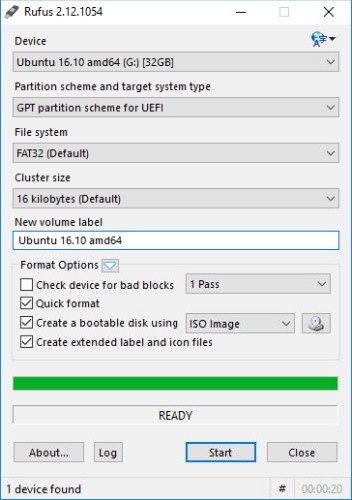
Create bootable USB drives the easy way. Rufus is a utility that helps format and create bootable USB flash drives, such as USB keys/pendrives, memory sticks, etc. It can be especially useful for cases where: you need to create USB installation media from bootable ISOs (Windows, Linux, UEFI, etc.); to work on a system that doesn't have an OS installed; to flash a BIOS or other firmware from DOS; you want to run a low-level utility. Despite its small size, Rufus provides everything you need! Oh, and Rufus is fast. For instance it's about twice as fast as UNetbootin, Universal USB Installer or Windows 7 USB download tool, on the creation of a Windows 7 USB installation drive from an ISO. It is also marginally faster on the creation of Linux bootable USB from ISOs.
Author: fredoport| Published 9 October 2024 | Views: 9258
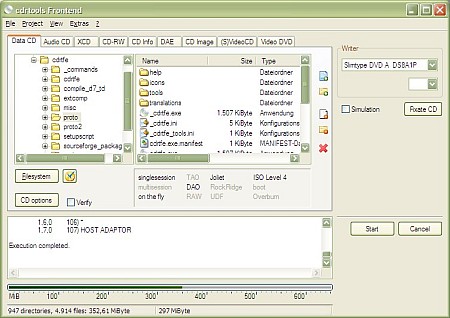
A small CD/DVD burning application for Windows. Cdrtfe is a win32 frontend for the cdrtools (cdrecord, mkisofs, readcd, cdda2wav), Mode2CDMaker and VCDImager. It can burn data discs (CD and DVD), Audio CDs, XCDs, (S)VCDs and DVD-Video discs. Audio track extraction (wav, mp3, ogg, flac, userdefined). Can be used with commandline options.
Author: fredoport| Published 17 July 2024 | Views: 13267
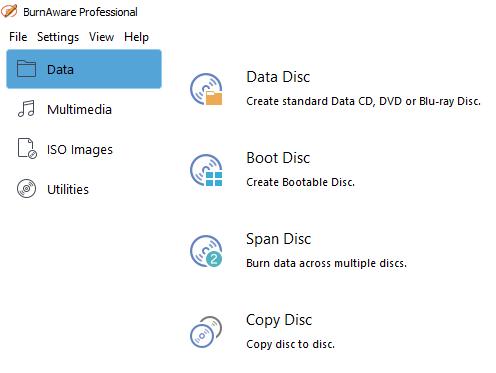
BurnAware is the ultimate disc burning software. BurnAware is the preferred edition for home desktop and mobile PCs. It includes additional burning tools which help you to copy your CDs and DVDs with digital photos, documents, games, movies and music easily. Also with BurnAware Home you can compile and burn bootable discs and disc images. Keep original discs scratch free. Duplicate CDs and DVDs or store them as ISO image files on your hard disk. You can always burn them later to create and backup copy of the original movie/game/software.
Author: fredoport| Published 25 May 2024 | Views: 17589
Since its initial release, Ashampoo Burning Studio has changed the way CD/DVD/Blu-ray burning software works. Instead of spending frustrating hours learning how to use hundreds of complicated functions you just select a task – for example “Burn Files”, “Backup Files” or “Burn Movies” – and then the program guides you through all the necessary steps. You just choose your format, select your files and burn your disc. It really is that easy, but easy doesn’t mean you get less functionality: Advanced burning functions are also available for experienced users who want to choose specific file systems or use special boot images.
Author: fredoport| Published 3 May 2024 | Views: 5723
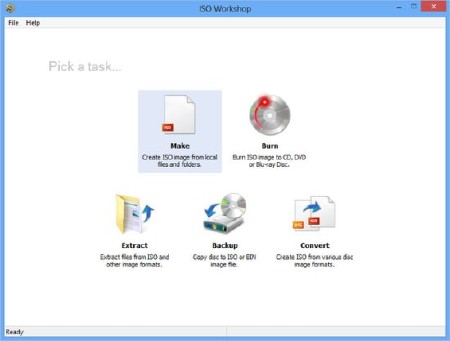
ISO Workshop is a free application specifically designed to facilitate disc image management, conversion and burning operations. The program has a very simple user interface and enables you to make ISO images, extract files from disc images, create disc backups, convert and burn disc images. Make standard or bootable ISO, with various file systems. Burn ISO image or any other disc image to CD, DVD or BD. Browse and extract files from various disc image formats. Copy any CD, DVD or Blu-ray Disc to ISO or BIN image. Convert various disc images to ISO or BIN
Author: fredoport| Published 26 February 2024 | Views: 30085
PowerISO is a powerful CD/DVD image file processing tool, which allows you to open, extract, create, edit, compress, encrypt, split and convert ISO files, and mount these files with internal virtual drive. It can process almost all CD-ROM image files including ISO and BIN. Support almost all CD/DVD-ROM image file formats(ISO, BIN, NRG, CDI, DAA and so on).
Author: fredoport| Published 1 September 2023 | Views: 9660
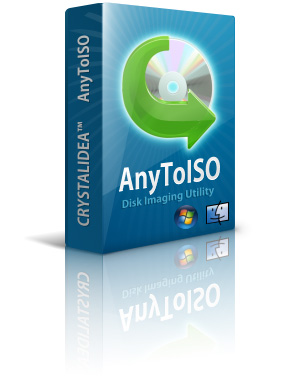
Extract/Convert to ISO: NRG, MDF, UIF, DMG, ISZ, BIN, DAA, PDI, CDI, IMG, etc CD/DVD-ROM images. Extract ISO, DMG, DEB, RPM... files. Create ISO from CD/DVD/Blu-ray disks. Create ISO from files/folders. Integration with Explorer and Apple Finder. Command line support. Downloaded a CD/DVD image in an unknown format? No need to buy expensive commercial software that supports this format - one program covers all formats. AnyToISO supports all CD/DVD formats popular in Internet. Most CD/DVD burning software works with ISO images and its native images only. Use AnyToISO for conversion before burning. With AnyToISO you can mount any CD/DVD image found in Internet to your Parallels/VMWare virtual machine.
Author: fredoport| Published 13 July 2023 | Views: 10035
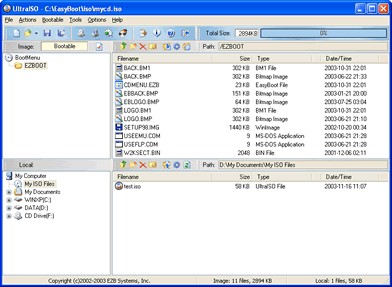
Along with the large capacity hard disk popularity, people were already used to copying compact discs to CD/DVD image files, generally used is the famous ISO 9660 international standards format, therefore CD/DVD image files are called ISO files. Because the ISO file retained complete data information of the compact disc (including compact disc boot information), you were allowed the convenience to use commonly used CD/DVD burning software (for example Nero-Burning ROM ) to record the disc with your CD-R/RW or DVD-R/RW over and over forever, it can also be used directly through Virtual CD/DVD-ROM drive software (for example Daemon-Tools).
Author: fredoport| Published 14 January 2023 | Views: 7564
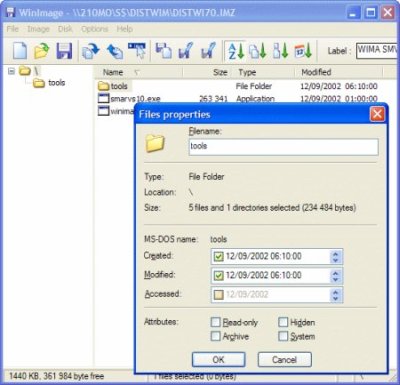
WinImage is a fully-fledged disk-imaging suite for easy creation, reading and editing of many image formats and fileystems, including DMF, VHD, FAT, ISO, NTFS and Linux. The disk image is an exact copy of a physical disk (floppy, CD-ROM, hard disk, USB, VHD disk, etc.) or a partition that preserves the original structure. With WinImage in place, you can recreate the disk image on the hard drive or other media, view its content, extract image-based files, add new files and directories, change the format, and defragment the image. All this and more is delivered in one intuitive user interface that enables imaging right out of the box.
Author: fredoport| Published 20 October 2022 | Views: 9804
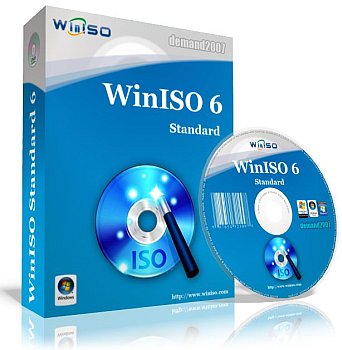
WinISO is a professional CD/DVD/Blu-ray image file utility tool. Can make image file from CD/DVD/Blu-ray Driver. Convert image files between ISO / BIN and other formats (Including NRG, CCD and MDS image file formats). Extract, edit, rename ISO files directly. Burn ISO image file to CD/DVD/Blu-ray Disc. Make bootable CD/DVD/Blu-ray Disc. Bridge and unbridge file systems. Mount ISO image files.
Author: fredoport| Published 29 April 2021 | Views: 8061
Alcohol 120%, is a powerful Windows CD and DVD burning software that makes it easy to create backups of DVDs* and CDs. Additionaly, the program lets you store your most used CDs as images on your computer, and you can mount them on 1 of the 31 virtual drives with a click of a button. Our burning software includes a Pre-Mastering function which lets you burn files directly from your hard drive, and supports Blu-ray format and HD DVD.Compatible with all Windows 32 and 64 bit operating systems up to Windows 7.
Author: fredoport| Published 18 December 2020 | Views: 10763
IsoBuster is an award winning, highly specialized and easy to use CD, DVD and blu-ray (BD, HD DVD) data recovery tool. It supports all CD / DVD / BD / HD DVD formats and all common file-systems. Rescue lost files from a bad or trashed CD or DVD disc, save important documents, precious pictures, video from the family, your only system backup. IsoBuster can do it all! No accumulated cost if you need more than one type media supported. IsoBuster is a highly specialized yet easy to use optical media data recovery tool. It supports all optical disc formats and all common optical disc file-systems.
Author: fredoport| Published 6 October 2020 | Views: 13201
Burn audio files or data to CD, DVD, Blu-ray Disc, or HD DVD. Want to burn movies to DVD? With DVD-R Dual Layer and DVD+R Double Layer support, you’ll get more data on a disc than ever before! Portable Nero BR was set to maintain your installed Nero's settings, if any. However, you have to be careful in that condition. Rip audio CDs and non-copy-protected DVDs quickly and easily with the world’s leading burning engine. Burn your data onto CD and DVD - quickly and conveniently. Create backups - easily and automatically. Archive your data - reliably and securely. Design individual CD and DVD labels - professionally and creatively.
Author: fredoport| Published 20 November 2019 | Views: 11090
CDBurnerXP is a application to burn CDs and DVDs, including Blu-Ray and HD-DVDs. It also includes the feature to burn and create ISOs, as well as a multilanguage interface. Everyone, even companies, can use it for free. It does not include adware or similar malicious components. Burns all kinds of discs. Creates bootable discs. Burn and create ISO files. Data verification after burning process.
Author: fredoport| Published 16 August 2017 | Views: 6997
Reading from scratched CD/DVDs, unreliable LAN (Wi-Fi), damaged floppy/flash disks! Effectively copies corrupt data from any type of disks or erroneous connections if standard copying methods fail. AnyReader supports resumed downloads from the remote PC if the connection was broken during the copy process (especially useful for unreliable Wi-Fi networks). AnyReader is great for copying files from scratched CD/DVDs or defective floppy/hard disks. Normally when your computer is unable to copy files from a damaged disk it will abort and delete the part of the file it has copied. AnyReader will continue copying the file right to the end; any data that hasn't been recovered after several retries is replaced with blanks. This will allow you to effectively read every byte of information that can be read at all.



 Comments (0)