Author: fredoport| Published 21 November 2025 | Views: 9657
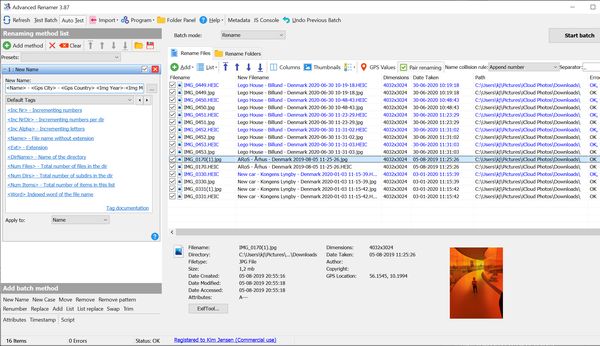
Advanced Renamer is program for renaming multiple files or folders at once. It can use several different methods for calculating the new name including multimedia tools for sound and picture files. Advanced Renamer makes it easy to set up an advanced batch job using multiple methods on a large amount of files. The eight different methods make it possible for you to change the names, attributes and timestamps of files in one go. With Advanced Renamer you can construct new file names by adding, removing, replacing, changing case, or giving the file a brand new name based on known information about the file. This program is a great utility for organising digital pictures for both professionals and beginners. The thumbnail mode lets you display thumbnails directly in the file list giving you maximum control of the renaming process. With this program you can rename all your photos in a snap.
Author: fredoport| Published 21 November 2025 | Views: 8489
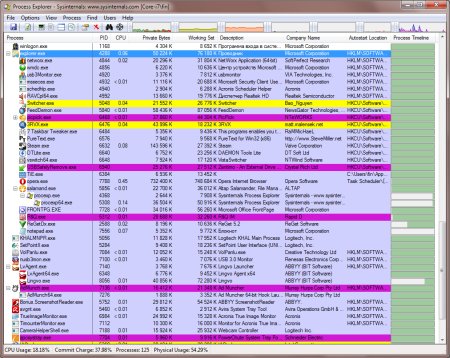
Ever wondered which program has a particular file or directory open? Now you can find out. Process Explorer shows you information about which handles and DLLs processes have opened or loaded. The Process Explorer display consists of two sub-windows. The top window always shows a list of the currently active processes, including the names of their owning accounts, whereas the information displayed in the bottom window depends on the mode that Process Explorer is in: if it is in handle mode you'll see the handles that the process selected in the top window has opened; if Process Explorer is in DLL mode you'll see the DLLs and memory-mapped files that the process has loaded. Process Explorer also has a powerful search capability that will quickly show you which processes have particular handles opened or DLLs loaded.
Author: fredoport| Published 6 November 2025 | Views: 11035
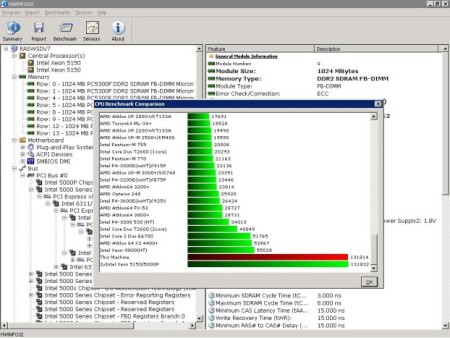
Professional hardware information and diagnostic tool supporting latest components, industry technologies and standards. Both tools are designed to collect and present the maximum amount of information possible about computer's hardware which makes them suitable for users searching for driver updates, computer manufacturers, system integrators and technical experts as well. Retrieved information is presented in a logical and easily understandable form and can be exported into various types of reports.
Author: fredoport| Published 14 September 2025 | Views: 9549
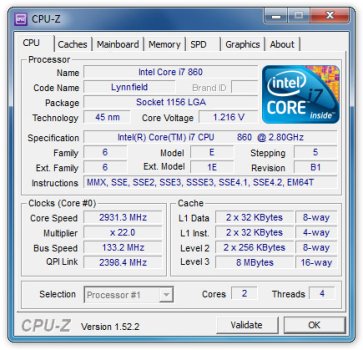
CPU-Z is a program that gathers information on some of the main devices of your system. CPU. Name and number. Core stepping and process. Package. Core voltage. Internal and external clocks, clock multiplier. Supported instructions sets. Cache information. Mainboard. Vendor, model and revision. BIOS model and date. Chipset (northbridge and southbridge) and sensor. Graphic interface. Real time measurement of each core's internal frequency, memory frequency.
Author: fredoport| Published 14 July 2025 | Views: 8041
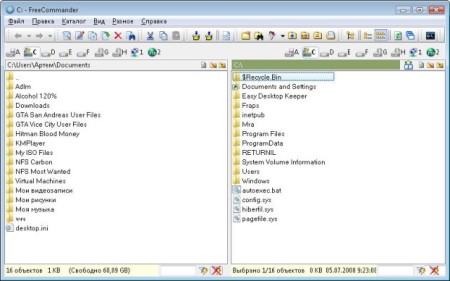
FreeCommander is an easy-to-use alternative to the standard windows file manager. The program helps you with daily work in Windows. Here you can find all the necessary functions to manage your data stock. You can take FreeCommander anywhere - just copy the installation directory on a CD or USB-Stick - and you can even work with this program on a foreign computer.
Author: fredoport| Published 14 June 2025 | Views: 8932
Support NVIDIA and ATI cards. Displays adapter, GPU and display information. Displays overclock, default clocks and 3D clocks (if available). Validation of results. No installation required. Support for Windows 2000 / XP / Vista /7/8/10 (both 32 and 64 bit versions are supported).
Author: fredoport| Published 30 May 2025 | Views: 25006
CCleaner is a system optimization and privacy tool. It removes unused files from your system - allowing Windows to run faster and freeing up valuable hard disk space. It also cleans traces of your online activities such as your Internet history. But the best part is that it's fast (normally taking less than a second to run) and contains NO Spyware or Adware!
Author: fredoport| Published 4 May 2025 | Views: 10389
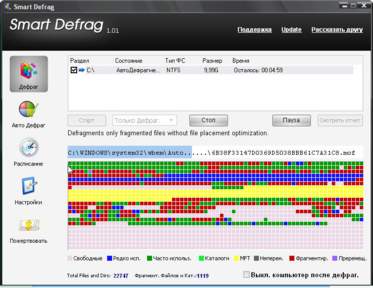
Extremely Easy to Use. Install it and forget it. This powerful, free defragmenter works continuously, automatically and quietly in the background on your PC. Its intuitive interface makes Smart Defrag the ideal utility for complete computer dummies. Exceptionally Efficient Defragmentation. Smart Defrag has the world’s fastest defragmenting engine. It’s been specially designed for modern, large hard drives, so it eliminates long waiting times. Optimize Disk Performance. Smart Defrag doesn’t just use simple defragmentation. It also streamlines your file system, places the frequently used files and directories into the fastest area of the disk, enabling your computer to run at top speed with the most stability.
Author: fredoport| Published 11 April 2025 | Views: 31226
Revo Uninstaller helps you to uninstall and remove unwanted programs installed on your computer even if you have problems uninstalling and cannot uninstall them from "Windows Add or Remove Programs" control panel applet. Revo Uninstaller is much faster and more powerful alternative to "Windows Add or Remove Programs" applet! With its advanced and fast algorithm, Revo Uninstaller analyzes an application's data before uninstall and scans after you uninstall an application. After the program's regular uninstaller runs, you can remove additional unnecessary files, folders and registry keys that are usually left over on your computer.
Author: fredoport| Published 11 April 2025 | Views: 6340
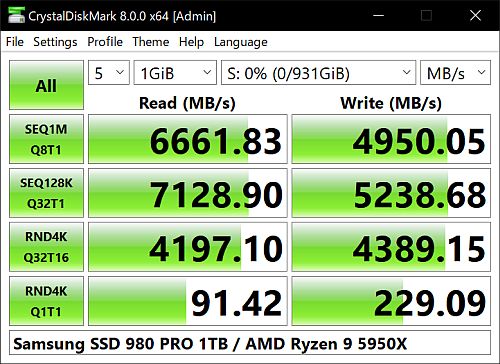
CrystalDiskMark is a disk benchmark utility that measures performance for sequential and random reads/writes of various sizes for any storage device. It is useful for comparing the speed of both portable and local storage devices. CrystalDiskMark requires admin rights to operate.
Author: fredoport| Published 15 March 2025 | Views: 32854
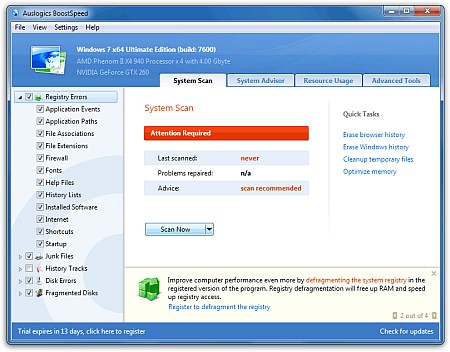
The ideal solution to keep your PC running faster, cleaner and error-free. This powerful optimization suite will boost Internet connections, tweak Windows to its peak performance, clean registry and block annoying ads. It's a great way to keep your computer clean and optimized. Speed Up PC With BoostSpeed! Modify Windows settings, file system and services to greatly increase system performance. Increase startup and shutdown speed, disable annoying CD autorun and error reporting features. BoostSpeed will keep monitoring your system for possible optimizations and let you know if such optimizations are possible. You can also run the System. Optimization Wizard to periodically optimize your PC.
Author: fredoport| Published 2 March 2025 | Views: 6821
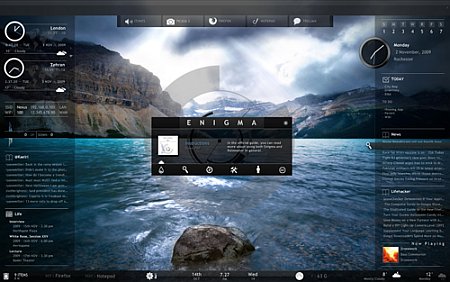
Rainmeter displays customizable skins, like memory and battery power, RSS feeds and weather forecasts, right on your desktop. Many skins are even functional: they can record your notes and to-do lists, launch your favorite applications, and control your media player - all in a clean, unobtrusive interface that you can rearrange and customize to your liking. Rainmeter is at once an application and a toolkit. You are only limited by your imagination and creativity.
Author: fredoport| Published 5 January 2025 | Views: 32719
Total Commander is a file manager for Windows similar to the Windows Explorer. But Total Commander uses a different approach: it has two fixed windows side by side like a well-known file manager for DOS. Total Commander handles archives like subdirectories. It supports ZIP/7Z/ARJ/LHA/RAR/UC2/TAR/GZ/CAB/ACE archives, and has an internal ZIP-compatible packer. The search function allows to search for files inside archives, even for text. A command line helps starting programs with parameters, and a fully configurable button bar allows to launch programs and internal commands. The built-in viewer can show files in text, hex, binary, image and multimedia format. The 32 bit version supports Drag&Drop from and to explorer/desktop, delete to the recycle bin, and Explorer style context menus/property sheets. FTP servers on the Internet can be accessed like local drives.
Author: fredoport| Published 2 January 2025 | Views: 5620
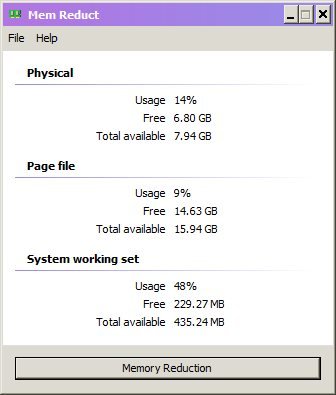
Lightweight real-time memory management application to monitor and clean system memory on your computer.The program used undocumented internal system features (Native API) to clear system cache (system working set, working set, standby page lists, modified page lists) with variable result ~10-50%. Application it is compatible with Windows XP SP3 and higher operating systems, but some general features available only since Windows Vista. For correct working, need administrator rights.
Author: fredoport| Published 18 December 2024 | Views: 20236
O&O Defrag is the newest generation of the very successful O&O Defrag. Simply, quickly, and securely, you can get the maximum performance out of your expensive hardware investments - and all this with only a tiny investment of time and energy! The new O&O Defrag Professional Edition for Windows-based workstations unlocks the hidden Performance of your computer. This software will optimize your hard disk in Windows 7, Vista, XP Home, Windows XP Pro and 2000 Pro, securely repacking fragmented files together for more efficiency. In addition, O&O Defrag Professional Edition boasts outstanding usability and a myriad of important functions not found in any other defragmentation software platforms on the market today.



 Comments (0)