Author: fredoport| Published 15 July 2024 | Views: 10813
All the photo editing you really need. Instantly. Many people buy big expensive camcorders but still shoot all their videos with their phone or point-and-shoot camera. Photo editing software is similar – you may have a powerful graphics editor but most of the time you'll find yourself using just a couple of functions. Ashampoo Photo Optimizer enables you to touch up your digital photos fast. Everything is so simple you never need to read a manual – after you point and shoot just click and go. Ashampoo Photo Optimizer doesn't try to replace major graphics programs. It just gives you everything you need when you want results fast.
Author: fredoport| Published 12 July 2024 | Views: 8970
Support of many different digital brushes e.g. chalk, charcoal, pencils... A wide variety of adjustment settings to customize the default brushes or to create new brushes. Standard image editing tools like gradient, crop, fill and selection tools. Support for the most common file formats like AWD (Artweaver), BMP, GIF, JPEG, PCX, TGA, TIFF, PNG, and PSD (no layer support). Transparency and Layers support. Effect filters like sharpen, blur, emboss and mosaic. Editable text layers. Pen Tablet support for a realistic feeling. History function to und/redo last editing steps. Expandable by Plug-In modules (Artweaver Standard). Support for many languages through language files.
Author: admin| Published 5 July 2024 | Views: 1716
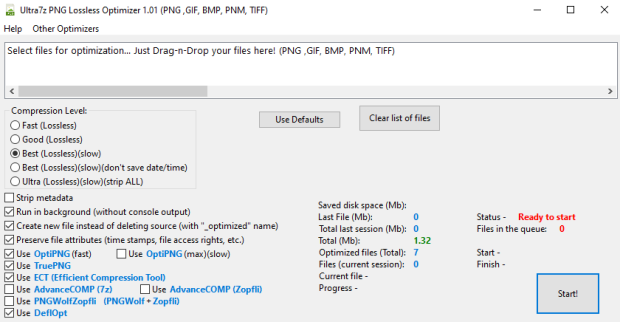
Optimize and convert your graphic files/images in smaller PNG files (up to 5-30%) lossless! Full compatible with source PNG format. Convert from PNG, GIF, BMP, PNM, TIFF to smallest PNG! It uses 6 programs and selects the best result: OptiPNG, TruePNG, ECT (Efficient Compression Tool), AdvanceCOMP, PNGWolfZopfli, DeflOpt. You can enable or disable each of them. Batch processing of files (drag-n-drop). Reduce the size of your PNG files in one click without quality loss! Program optimizes your file to new one with «_optimized» name ending (source file will remain intact). Program will be especially useful for webmasters to optimize images on sites to increase places in search results.
Author: fredoport| Published 28 May 2024 | Views: 5566
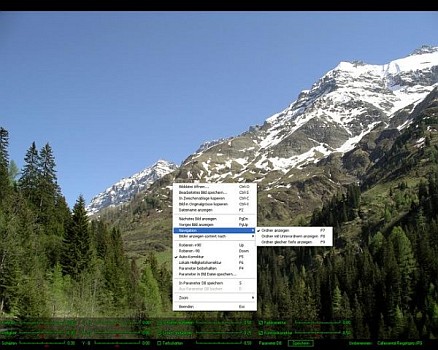
JPEGView is a small and fast viewer/editor for JPEG, BMP, PNG, GIF and TIFF images. On-the-fly image processing is provided - allowing to adjust typical parameters as sharpness, color balance, contrast and local under-/overexposure. Small and fast, uses SSE2 and up to 4 CPU cores. High quality resampling filter, preserving sharpness of images. Basic image processing tools can be applied realtime during viewing. Movie mode to play folder of JPEGs as movie.
Author: fredoport| Published 1 May 2024 | Views: 14355
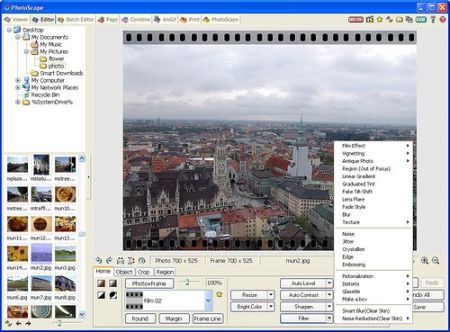
Photoscape is the fun and easy photo editing software that enables you to fix and enhance photos. Viewer: View your folders photos, slideshow. Editor: resizing, brightness and color adjustment, white balance, backlight correction, frames, balloons, mosaic mode, adding text, drawing pictures, cropping, filters, red eye removal, blooming. Batch editor: Batch editing multiple photos. Page: Make one photo by merging multiple photos at the page frame. Combine: Make one photo by attaching multiple photos vertically or horizontally. Animated GIF: Make one animation photo with multiple photos. Print: Print portrait shot, carte de visite, passport photo. Splitter: Divide a photo into multiple parts. Screen Capture: Capture your screenshot and save it. Color Picker: Zoom in screen on images, search and pick the color. Rename: Change photo file names in batch mode. Raw Converter: Convert RAW to JPG.
Author: fredoport| Published 29 April 2024 | Views: 7632
Artist sketchbook with natural art tools - oils, acrylics, pastel, charcoal etc. TwistedBrush is a software that helps you paint, sketch and draw with completely natural art tools and sets. Easy and fun! TwistedBrush - digital paint software with complete natural art tools. Software for artists without the complexity of other art programs. Compare us to the other "natural media" art programs. TwistedBrush has one of the most versatile and powerful brush engines in existence, yet it as designed from day one to be easy to use.
Author: fredoport| Published 11 April 2024 | Views: 11643
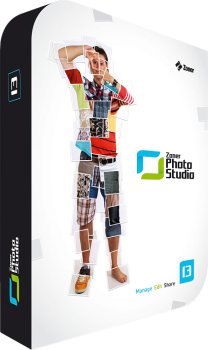
Zoner Photo Studio helps you take control of your photos. Acquire pictures from your camera, organize your archive, and edit and share your photos—it’s never been easier! Have fun organizing and browsing through your digital memories. With Zoner Photo Studio, you’ll be editing and personalizing your photos with special effects and even advanced functions like HDR processing. Wow your family and friends with 3D photos and impressive panoramas! Process RAW files conveniently and easily with an interface designed specially for photo enthusiasts.
Author: fredoport| Published 5 April 2024 | Views: 10687
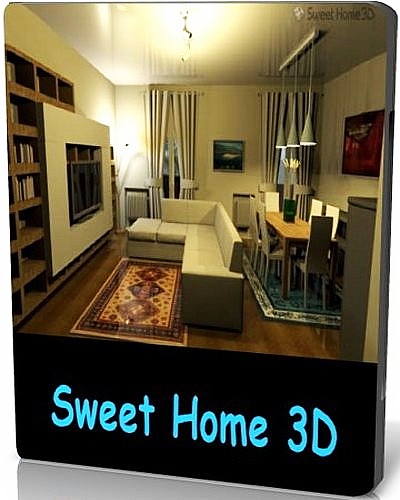
Sweet Home 3D is a interior design application that helps you place your furniture on a house 2D plan, with a 3D preview. There are many interior design software applications available on the market. I'll present one of them to you now. Sweet Home 3D is the perfect tool to help you place furniture in your house. If you want to redecorate an apartment or rearrange the existing furniture in a room, Sweet Home 3D might prove to be the easiest way.
Author: fredoport| Published 22 March 2024 | Views: 6326
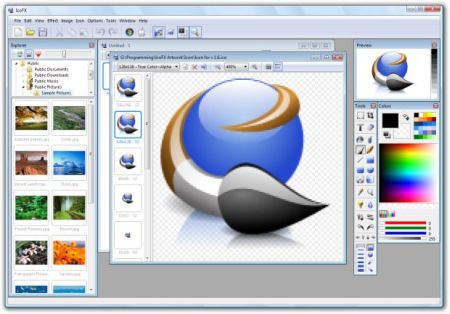
A useful icon editor which can create easily icons with transparency! FX is an award winning icon editor. It is an all-in-one solution for icon creation, extraction and editing. It is designed to work with Windows XP, Windows Vista/Seven and Macintosh icons supporting transparency. With a wealth of tools and more than 40 effects at your fingertips, there’s virtually no limit to the icons you can create. You can easily convert your favorite images into icons, or icons into images. IcoFX gives you the possibility to create icon libraries or change icons inside exe files. Create a favicon for your website or blog.
Author: admin| Published 15 March 2024 | Views: 2082
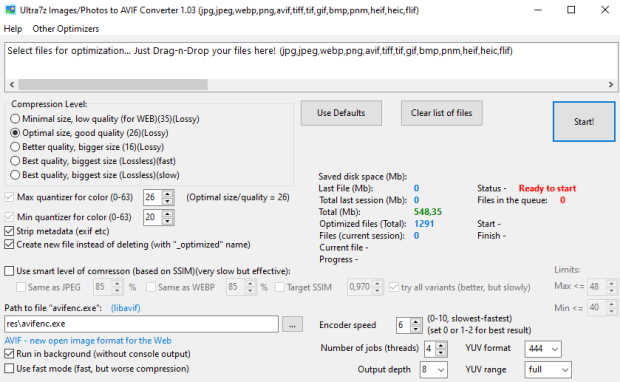
Convert your pictures JPEG/PNG/WEBP to smaller AVIF files (up to 10-50%)! High compression ratio — better than your programs / photo camera or smartphone. AVIF is a modern image format that provides superior lossy compression for images on the web. Using AVIF, webmasters and web developers can create smaller, richer images that make the web faster. It uses program avifenc.exe from LibAvif. Batch processing of files (drag-n-drop). Reduce the size of your image files in one click with ot without quality loss! Program optimizes your file to new one with «_optimized» name ending (source file will remain intact). Option for smart level of compression (based on SSIM). AVIF images are 50% smaller in size compared to JPEG and 20% to WEBP. Google Chrome released with full AVIF support.
Author: fredoport| Published 1 March 2024 | Views: 7342
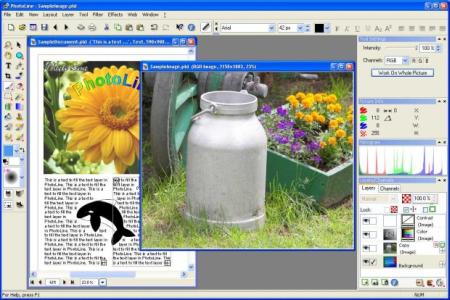
Image Processing. 16 bit per channel, support of CMYK and Lab. Color management with ICC profiles. Lossless imaging. Process digital photos. Retouch, correct, ... Browse. IPTC and EXIF data handling. Rotate images lossless. Rename images and create catalogues. Create HTML galleries. Add and edit keywords. Powerful search capabilities. Layout/Text. "Real" PDF Import and Export (not just a big image). Multipage documents. Calendar and barcode creation. Rich text functions. Internet/Animations. Create Flash and GIF animations. Web Export. Tile images, create buttons and image maps. Many more. Batch conversion. Create slideshows. Record actions.
Author: fredoport| Published 12 February 2024 | Views: 7083
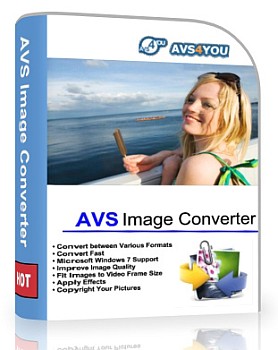
Convert piles of images to all key formats at one go! Make quick adjustments - resize, rotate, apply auto-correction settings. Select between a number of effects. Get your pictures ready to be printed or uploaded to websites! Convert and save images between all key formats such as JPEG, PDF, RAW, TIFF, GIF, etc. See a full list of supported image formats here. Use the Batch mode and convert several files or a whole folder to a desired format with one button click! Open and convert JPEG 2000. Save your images to animated GIF and animated PNG with. Apply auto-correction settings to improve brightness and contrast.
Author: fredoport| Published 5 January 2024 | Views: 7132
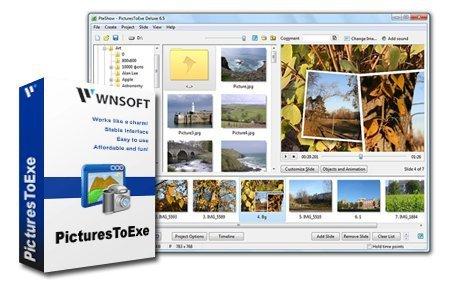
PTE AV Studio Pro (PicturesToExe) creates slide show in stand-alone EXE file. Using a clean-looking, intuitive interface, you select pictures from any combination of folders on your system. Then press the Create button. In just moments, you've produced an .exe file that, when run, displays the images with the options you've selected. Options let you specify automatic or manual sequencing, pick the timer interval, adjust font and background properties, and decide whether you want the sequence to run once and terminate or to repeat continuously. You can also add a MIDI, or MP3-based soundtrack and associate each picture with a .wav file. It is a nice way to share your favorite images with others in a compact, easy-to-email form. Ability to create AVI video file.
Author: fredoport| Published 3 January 2024 | Views: 6255
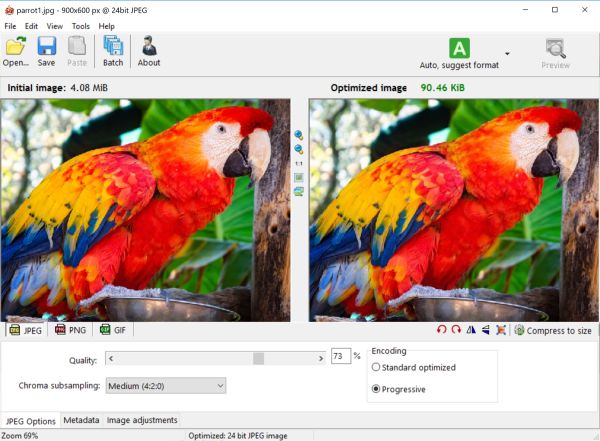
Radical Image Optimization Tool (RIOT for short) is a free image optimizer that will let you to visually adjust compression parameters while keeping minimum filesize. It uses with a side by side (dual view) or single view interface to compare the original with the optimized image in real time and instantly see the resulting file size. It is lightweight, fast and simple to use, yet powerful for advanced users. You will be able to control compression, number of colors, metadata settings and much more, and select image format (JPG, GIF or PNG) for your output file.
Author: fredoport| Published 1 January 2024 | Views: 9133
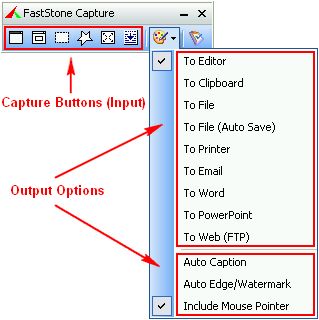
FastStone Capture is a powerful, lightweight, yet full-featured screen capture tool that allows you to easily capture and annotate anything on the screen including windows, objects, menus, full screen, rectangular/freehand regions and even scrolling windows/web pages. You can choose to send captures to editor, file, clipboard, printer, email, Word/PowerPoint document or upload them to your website. Editing tools include annotating (texts, arrowed lines, highlights), resizing, cropping, sharpening, watermarking, applying edge effects and many more. Other features include global hotkeys, automatic filename generation, support for external editors, a color picker, a screen magnifier and a screen ruler.



 Comments (0)