Author: fredoport| Published 22 April 2024 | Views: 3733
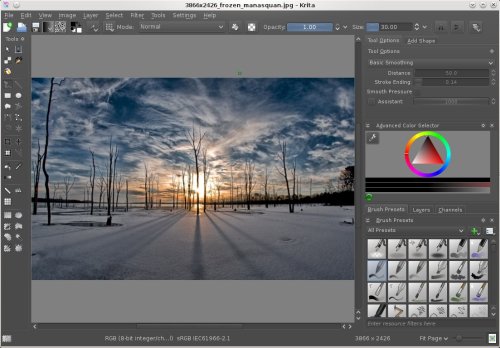
Krita is a free and open source painting tool designed for concept artists, illustrators, matte and texture artists, and the VFX industry. Krita has been in development for over 10 years and has had an explosion in growth recently. It offers many common and innovative features to help the amateur and professional alike. In addition to painting, Krita comes with vector, filter, group, and file layers. Combine, order, and flatten layers to help your artwork stay organized. PSD Support - Open PSD files that even Photoshop cannot open. Load and save to PSD when you need to take your artwork across different programs. It supports full color management through LCMS for ICC and OpenColor IO for EXR, allowing you to incorporate Krita into your existing color management pipeline.
Author: admin| Published 12 April 2024 | Views: 161
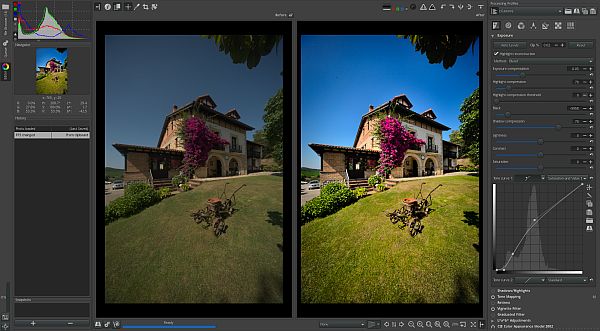
RawTherapee is a powerful and flexible computer program for processing digital images, aimed at professional photographers and enthusiasts. RawTherapee is designed to work with raw image files, such as RAW, but also supports a variety of other formats, including JPEG, PNG, and TIFF. The main goal of RawTherapee is to provide the user with maximum control over the image processing process to achieve the best quality and desired aesthetic result. Support a wide range of digital camera models from various manufacturers, including Canon, Nikon, Sony, Fujifilm, and many others. This makes the program a versatile tool for processing images regardless of the user's camera.
Author: fredoport| Published 11 April 2024 | Views: 11065
Zoner Photo Studio helps you take control of your photos. Acquire pictures from your camera, organize your archive, and edit and share your photos—it’s never been easier! Have fun organizing and browsing through your digital memories. With Zoner Photo Studio, you’ll be editing and personalizing your photos with special effects and even advanced functions like HDR processing. Wow your family and friends with 3D photos and impressive panoramas! Process RAW files conveniently and easily with an interface designed specially for photo enthusiasts.
Author: fredoport| Published 5 April 2024 | Views: 9962
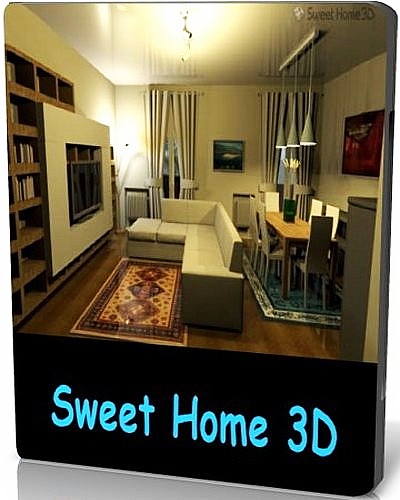
Sweet Home 3D is a interior design application that helps you place your furniture on a house 2D plan, with a 3D preview. There are many interior design software applications available on the market. I'll present one of them to you now. Sweet Home 3D is the perfect tool to help you place furniture in your house. If you want to redecorate an apartment or rearrange the existing furniture in a room, Sweet Home 3D might prove to be the easiest way.
Author: fredoport| Published 22 March 2024 | Views: 8129
It is trying to be simple for beginners and powerful for professionals. IrfanView is trying to create new and/or interesting features in its own way, unlike some other graphic viewers, whose whole "creativity" is based on feature cloning, stealing of ideas and whole dialogs from ACDSee and/or IrfanView! (for example: XnView has been stealing/cloning features and whole dialogs from IrfanView, for 8+ years). IrfanView was the first Windows graphic viewer WORLDWIDE with Multiple (animated) GIF support. One of the first graphic viewers WORLDWIDE with Multipage TIF support. The first graphic viewer WORLDWIDE with Multiple ICO support.
Author: fredoport| Published 22 March 2024 | Views: 5730
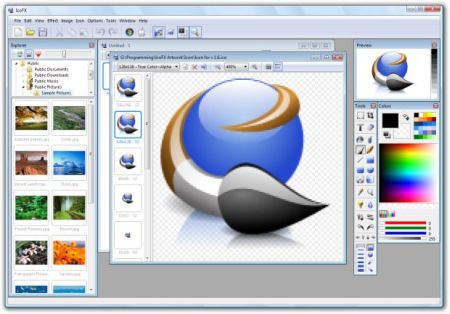
A useful icon editor which can create easily icons with transparency! FX is an award winning icon editor. It is an all-in-one solution for icon creation, extraction and editing. It is designed to work with Windows XP, Windows Vista/Seven and Macintosh icons supporting transparency. With a wealth of tools and more than 40 effects at your fingertips, there’s virtually no limit to the icons you can create. You can easily convert your favorite images into icons, or icons into images. IcoFX gives you the possibility to create icon libraries or change icons inside exe files. Create a favicon for your website or blog.
Author: admin| Published 15 March 2024 | Views: 1510
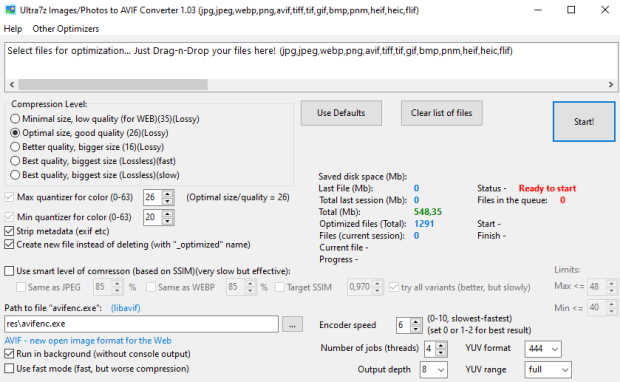
Convert your pictures JPEG/PNG/WEBP to smaller AVIF files (up to 10-50%)! High compression ratio — better than your programs / photo camera or smartphone. AVIF is a modern image format that provides superior lossy compression for images on the web. Using AVIF, webmasters and web developers can create smaller, richer images that make the web faster. It uses program avifenc.exe from LibAvif. Batch processing of files (drag-n-drop). Reduce the size of your image files in one click with ot without quality loss! Program optimizes your file to new one with «_optimized» name ending (source file will remain intact). Option for smart level of compression (based on SSIM). AVIF images are 50% smaller in size compared to JPEG and 20% to WEBP. Google Chrome released with full AVIF support.
Author: fredoport| Published 1 March 2024 | Views: 6696
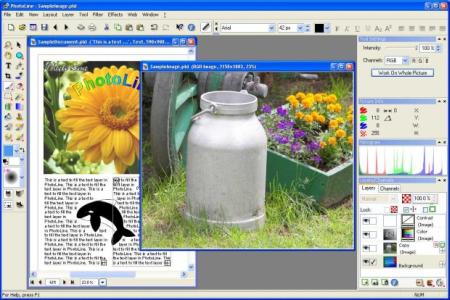
Image Processing. 16 bit per channel, support of CMYK and Lab. Color management with ICC profiles. Lossless imaging. Process digital photos. Retouch, correct, ... Browse. IPTC and EXIF data handling. Rotate images lossless. Rename images and create catalogues. Create HTML galleries. Add and edit keywords. Powerful search capabilities. Layout/Text. "Real" PDF Import and Export (not just a big image). Multipage documents. Calendar and barcode creation. Rich text functions. Internet/Animations. Create Flash and GIF animations. Web Export. Tile images, create buttons and image maps. Many more. Batch conversion. Create slideshows. Record actions.
Author: fredoport| Published 12 February 2024 | Views: 6167
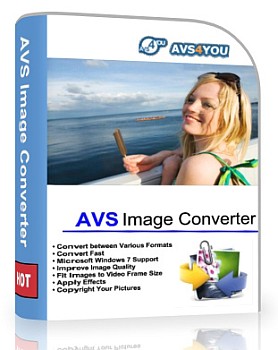
Convert piles of images to all key formats at one go! Make quick adjustments - resize, rotate, apply auto-correction settings. Select between a number of effects. Get your pictures ready to be printed or uploaded to websites! Convert and save images between all key formats such as JPEG, PDF, RAW, TIFF, GIF, etc. See a full list of supported image formats here. Use the Batch mode and convert several files or a whole folder to a desired format with one button click! Open and convert JPEG 2000. Save your images to animated GIF and animated PNG with. Apply auto-correction settings to improve brightness and contrast.
Author: fredoport| Published 29 January 2024 | Views: 11620
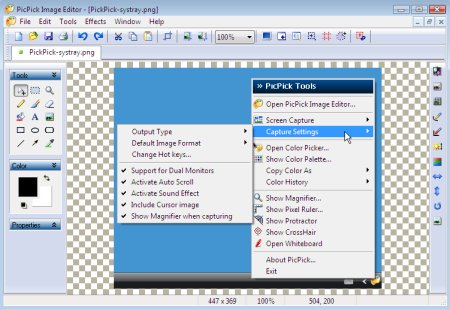
PicPick is an all-in-one software for software developers, graphic designers and home user. It has an intuitive interface and simple, elegant operation. After starting the software, you simply select one of the tool from the PicPick Tools trayicon menu when you want. It features a powerful capture tool, image editor, color picker, color palette, pixel ruler, protractor, crosshair, whiteboard and etc.
Author: admin| Published 26 January 2024 | Views: 392
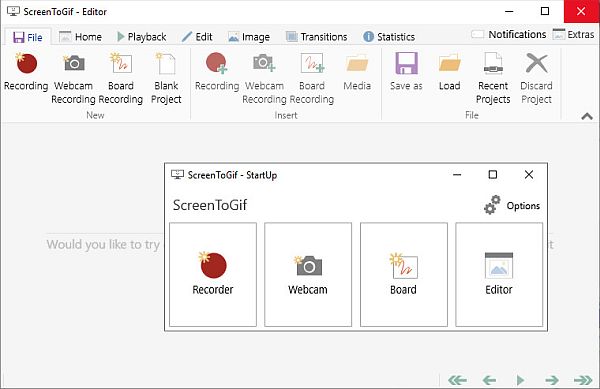
Screen, webcam and sketchboard recorder with an integrated editor. Use ScreenToGif to record your screen, your webcam feed or sketch board drawings. Use the record, pause, discard or stop buttons to control your capture. Select the capture frequency mode (manual, normal in fps, timelapse in fpm/fph). Resize the window to adjust the size of the capture. Insert a new recording or media file (videos or images) into an existing project. Export your project to: Gif, Apng, Video, Image, PSD, ScreenToGif project. Undo, redo or reset your edits. Copy, cut and paste frames. Select multiple frames or browse to a specific frame. Preview the playback of the animation. Resize, crop or flip/rotate. Add overlays: captions/text; drawings or shapes; key strokes or mouse clicks; borders, shadows, and obfuscation (pixelate); watermarks (pick your own image); cinemagraph (select parts of the animation to stay static or move).
Author: fredoport| Published 15 January 2024 | Views: 16288
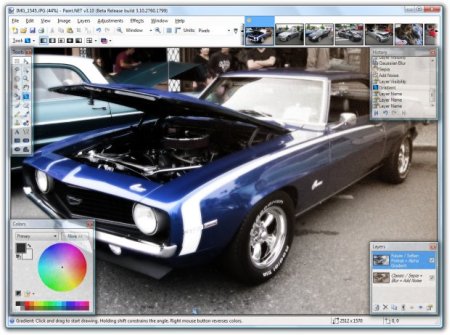
Paint.NET is image and photo editing software for computers that run Windows. It features an intuitive and innovative user interface with support for layers, unlimited undo, special effects, and a wide variety of useful and powerful tools. An active and growing online community provides friendly help, tutorials, and plugins. It started development as an undergraduate college senior design project mentored by Microsoft, and is currently being maintained by some of the alumni that originally worked on it. Originally intended as a free replacement for the Microsoft Paint software that comes with Windows, it has grown into a powerful yet simple image and photo editor tool. It has been compared to other digital photo editing software packages such as Adobe Photoshop, Corel Paint Shop Pro, Microsoft Photo Editor, and The GIMP.
Author: admin| Published 11 January 2024 | Views: 1729
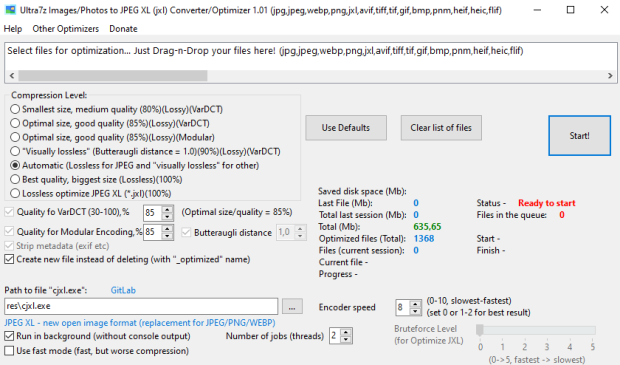
Convert and optimize your pictures JPEG/PNG/WEBP to smaller JPEG XL files (up to 10-60%)! Optimizer for JPEG XL (*.jxl) files (10-15% smaller) in lossless mode. JPEG XL (.jxl) is the next-generation, general-purpose image compression codec by the JPEG committee. It was based on Google's Pik proposal and Cloudinary's FUIF proposal (which itself was based on FLIF). High compression ratio - better than your programs / photo camera or smartphone. Lossless JPEG transcoding - about 20% smaller. JPEG XL is a modern image format that provides superior lossy and lossless compression for images. Using JXL, webmasters and web developers can create smaller, richer images that make the web faster. It uses program cjxl.exe. Batch processing of files (drag-n-drop). Program optimizes your file to new one with «_optimized» name ending (source file will remain intact). Reduce the size of your image files in one click with ot without quality loss! JPEG XL images are 60% smaller in size compared to JPEG and 35% to PNG.
Author: fredoport| Published 5 January 2024 | Views: 6513
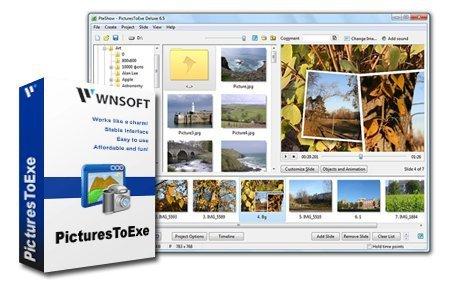
PTE AV Studio Pro (PicturesToExe) creates slide show in stand-alone EXE file. Using a clean-looking, intuitive interface, you select pictures from any combination of folders on your system. Then press the Create button. In just moments, you've produced an .exe file that, when run, displays the images with the options you've selected. Options let you specify automatic or manual sequencing, pick the timer interval, adjust font and background properties, and decide whether you want the sequence to run once and terminate or to repeat continuously. You can also add a MIDI, or MP3-based soundtrack and associate each picture with a .wav file. It is a nice way to share your favorite images with others in a compact, easy-to-email form. Ability to create AVI video file.
Author: fredoport| Published 3 January 2024 | Views: 5411
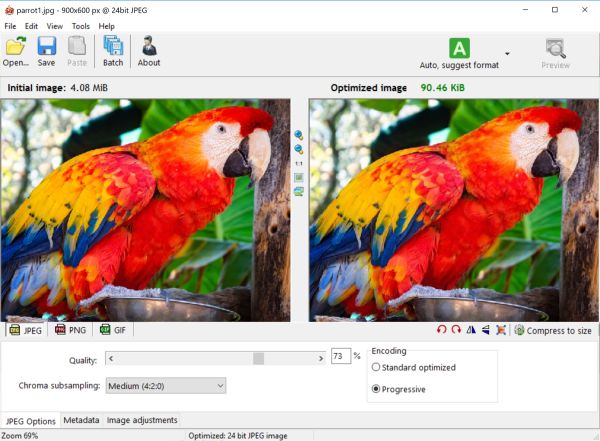
Radical Image Optimization Tool (RIOT for short) is a free image optimizer that will let you to visually adjust compression parameters while keeping minimum filesize. It uses with a side by side (dual view) or single view interface to compare the original with the optimized image in real time and instantly see the resulting file size. It is lightweight, fast and simple to use, yet powerful for advanced users. You will be able to control compression, number of colors, metadata settings and much more, and select image format (JPG, GIF or PNG) for your output file.



 Comments (0)