Author: fredoport| Published 18 January 2010 | Views: 3801
With DVD2one you can make a movie-only or full disk copy of your DVD for personal use on a single DVD-Recordable. Unique video compression engine: combines blazing speed with the highest quality. Multi-processor, multi-core and multi-computer (grid) compatible. Process a movie to fit on a single recordable in a matter of 15 to 30 minutes (depending on the speed of your computer). Make a movie-only copy of your DVD. Why waste space and image quality on unnecessary intros, menus and language tracks?
Author: fredoport| Published 8 December 2009 | Views: 3929
AutoRun Typhoon is a Multimedia Presentation tool that integrates Menus, Web Sites, PDF files, PowerPoint presentations, videos, slideshows or just about anything else you'd like into professional, attractive presentations. Deliver your presentation with ease, AutoRun Typhoon will burn your project to CD / DVD, or compress into a single EXE for easy sharing. Much-more-than-just-a-menu Menus (the ability to add flash animations, Web pages, slideshows, videos, etc on the menu as well as the buttons, listboxes, and textboxes)
Author: fredoport| Published 30 November 2009 | Views: 4183
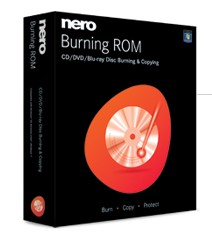
Burn audio files or data to CD, DVD, Blu-ray Disc, or HD DVD. Want to burn movies to DVD? With DVD-R Dual Layer and DVD+R Double Layer support, you’ll get more data on a disc than ever before! Portable Nero BR was set to maintain your installed Nero's settings, if any. However, you have to be careful in that condition. Rip audio CDs and non-copy-protected DVDs quickly and easily with the world’s leading burning engine. Burn your data onto CD and DVD - quickly and conveniently. Create backups - easily and automatically. Archive your data - reliably and securely. Design individual CD and DVD labels - professionally and creatively.
Author: fredoport| Published 27 November 2009 | Views: 5590
The DVD-lab PRO2 version is a next step in DVD-authoring. It adds features that are unheard in applications in this price category. Multiple audio, multiple subtitle support, play lists, counter and random lists, various levels of scripting even down to the virtual machine script - yet it still keeps the clear and accessible interface.
Author: fredoport| Published 17 November 2009 | Views: 3089
Frequently appears the need to rapidly write down optically disk, CD or DVD, and the possibility to install multifunctionnal packet to record problematically for different reasons, at least because of the size or format. Here the aid can arrive with the small utility by the name Small CD-Writer. In spite of its tiny size (less than 400 kilos-byte) the functionality of program is completely sufficient for the rapid burnig of one disk with diffrent format . It does not require installation, or need for caching files. Small CD-Writer make possible multi-sessional and loading disks, to write the ISO- of CDs, to examine all sessions on the disk and to extract them , to preserve projects in the form ISO.
Author: fredoport| Published 11 November 2009 | Views: 3859
Handy tool for burning and mastering CD, DVD, Blu-ray and HD DVD media. Astroburn allows you to perform burning, copying, erasing operations with all types of optical storage media: CD-R/RW, DVD-R/RW, DVD+R/RW, BD-R/RE, HD-DVD-R/RW and DVD-RAM. Program also works with a wide variety of burning hardware. With Astroburn you can easily grab original discs to create image files and save them on your hard drive or compile disc images with the data or audio projects. Create CDs and DVDs with just a few mouse clicks. It’s easy to learn and to use.
Author: fredoport| Published 5 November 2009 | Views: 4163
Create your own custom autorun menus, interactive presentations, multimedia applications, and custom software in just minutes. Use your favorite content such as images, music, video, flash, text, and more, and simply drag n' drop your way to amazing projects. To help you get started quickly we provide extra resources including video training, professional content add-ons, an online user forum, and much more!
Author: fredoport| Published 5 November 2009 | Views: 3597
Burn audio files or data to CD, DVD, Blu-ray Disc, or HD DVD. Want to burn movies to DVD? With DVD-R Dual Layer and DVD+R Double Layer support, you’ll get more data on a disc than ever before! Portable Nero BR was set to maintain your installed Nero's settings, if any. However, you have to be careful in that condition. Rip audio CDs and non-copy-protected DVDs quickly and easily with the world’s leading burning engine. Burn your data onto CD and DVD - quickly and conveniently. Create backups - easily and automatically. Archive your data - reliably and securely. Design individual CD and DVD labels - professionally and creatively.
Author: fredoport| Published 31 October 2009 | Views: 4155
Rip audio CDs and non-copy-protected DVDs quickly and easily with the world’s leading burning engine. Burn audio files or data to CD, DVD, Blu-ray Disc, or HD DVD. Want to burn movies to DVD? With DVD-R Dual Layer and DVD+R Double Layer support, you’ll get more data on a disc than ever before! Portable Nero BR was set to maintain your installed Nero's settings, if any. However, you have to be careful in that condition.
Author: fredoport| Published 23 September 2009 | Views: 3793
CopyToDVD is the ultimate CD and DVD backup software! You can backup DVD movies and videos, music, games, photos and data files in one click! Archive all your essential data with this “all-in-one” disc-burning suite that combines performance, speed and simplicity! CopyToDVD provides you with a variety of ways to create CD(s) or DVD(s), such as Windows shell integration or FileDepot technology. It provides voice notifications to make your burning tasks easy and fun ! The program uses a smart data analyser that suggests the best output format (audio CD, DVD, Video...) according to your needs, and supports all CD and DVD formats. With CopytoDVD CD/DVD backup software, save your files as a hard copy, schedule backups for specific days and time, burn your audio files (MP3, Ogg, Vorbis, WMA) to CD to play on any CD Player and more!
Author: fredoport| Published 21 September 2009 | Views: 3682
Joboshare DVD Creator allows you to specify NTSC or PAL, adjust 4:3 or 16:9 video aspect and burn DVD movie disc, DVD folder or ISO files. Joboshare DVD Creator supports lots of DVD formats, including DVD-R, DVD+R, DVD-RW, DVD+RW, DVD-5, and DVD-9.
With Joboshare DVD Creator, you can easily turn the vacation, wedding and family movies into DVDs that you can burn and share with your friends and family!
Author: fredoport| Published 11 September 2009 | Views: 4401
DVDINFOPro by Nic Wilson is a DVD information program written in Visual C++ for Windows 2000, XP, Vista and later. This program provides information & tools for: DVD-R/RW, DVD+R/RW burners, DVD-R DL (Double Layer) burners, DVD+R DL (Double Layer) burners, DVD-ROM players. DVDInfo Pro also provides information on all CD players & burners.
Author: fredoport| Published 6 September 2009 | Views: 3652
Rip audio CDs and non-copy-protected DVDs quickly and easily with the world’s leading burning engine. Burn audio files or data to CD, DVD, Blu-ray Disc, or HD DVD. Want to burn movies to DVD? With DVD-R Dual Layer and DVD+R Double Layer support, you’ll get more data on a disc than ever before! Portable Nero BR was set to maintain your installed Nero's settings, if any. However, you have to be careful in that condition.
Author: fredoport| Published 27 August 2009 | Views: 4156
Rip audio CDs and non-copy-protected DVDs quickly and easily with the world’s leading burning engine. Burn audio files or data to CD, DVD, Blu-ray Disc, or HD DVD. Want to burn movies to DVD? With DVD-R Dual Layer and DVD+R Double Layer support, you’ll get more data on a disc than ever before! Portable Nero BR was set to maintain your installed Nero's settings, if any. However, you have to be careful in that condition.




 Comments (0)